Our own product · Mac app
Project management.
In Markdown.
On your terms.
A native Mac app for projects, time tracking and invoices — where every project is a plain Markdown file in a folder you choose. It works offline, with no account to create and no server of ours holding your work. We built it to run this studio, then shipped it.

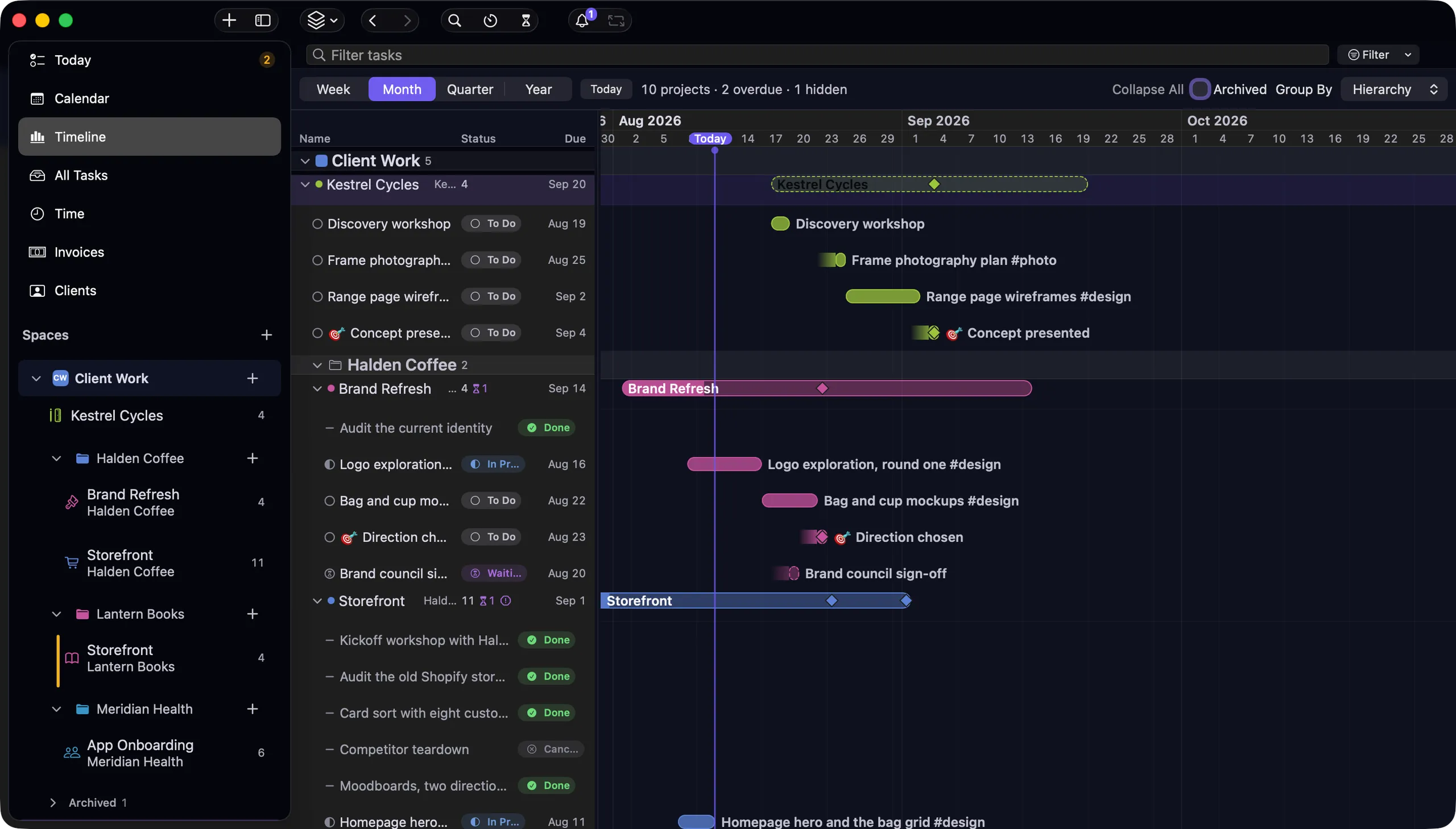
Projects, time, invoices
Three tools’ work, in one app.
Most small teams run a project tool, a time tracker and an invoicing app, then spend their week copying numbers between them. nokko does the three in one place, because the three are the same work.
The project tool
Milestones, dependencies, subtasks, recurring work, custom columns — across timeline, board, list and calendar.
The time tracker
A timer on any task, Pomodoro if you want it, and every session written back into the task as a line you can read.
The invoicing app
Invoices drafted from the hours you already logged. VAT, per-client reporting, totals recomputed on read.
One app, one folder of files. Nothing to sync before you can start.
Your files, your disk
A project is a file you can read.
Not a row in someone else’s database. Open it in any text editor and the whole project is there — tasks, dates, priorities, logged hours — in a format that will still open in ten years.
- One Markdown file per project, in a folder you choose.
- Edits change only the characters you changed — your notes, formatting and anything nokko doesn't recognise survive byte for byte.
- Opens in Obsidian, TextEdit, or any editor. Diffs and versions in git like code.
- Works fully offline. Kept local, it opens no network sockets, and there is no telemetry.
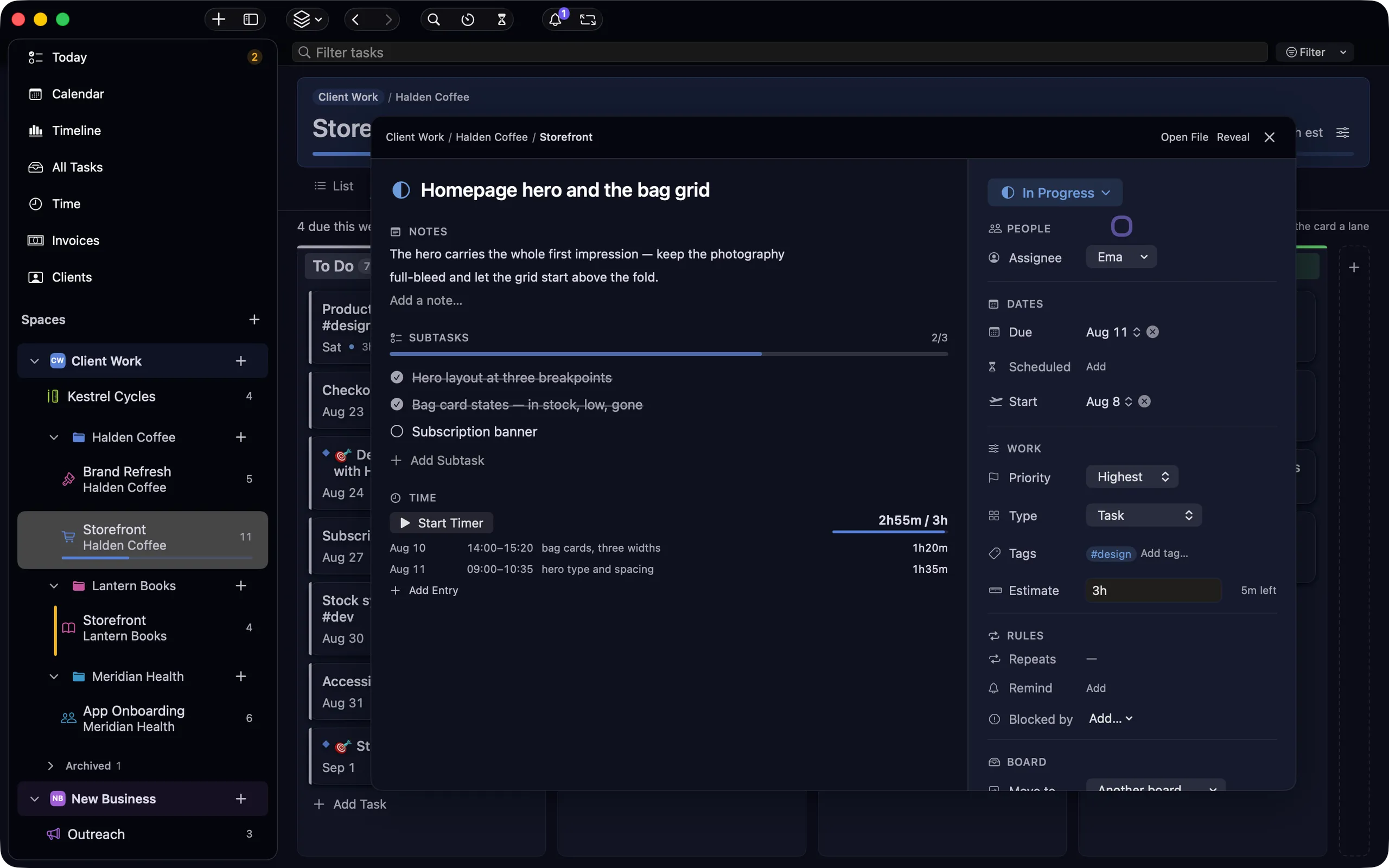
## Storefront — Halden Coffee

- [x] Audit the old Shopify storefront ✅ 2026-08-04
- [/] Homepage hero and the bag grid ⏫ #design 📅 2026-08-11
    - ⏱ 2026-08-11 09:40–11:00 (1h20m)
    - [ ] Bag and cup mockups 📅 2026-08-22
- [>] Copy review from Halden 🛫 2026-08-12
- [ ] Wire the newsletter signup 🔁 every week [Budget:: 900]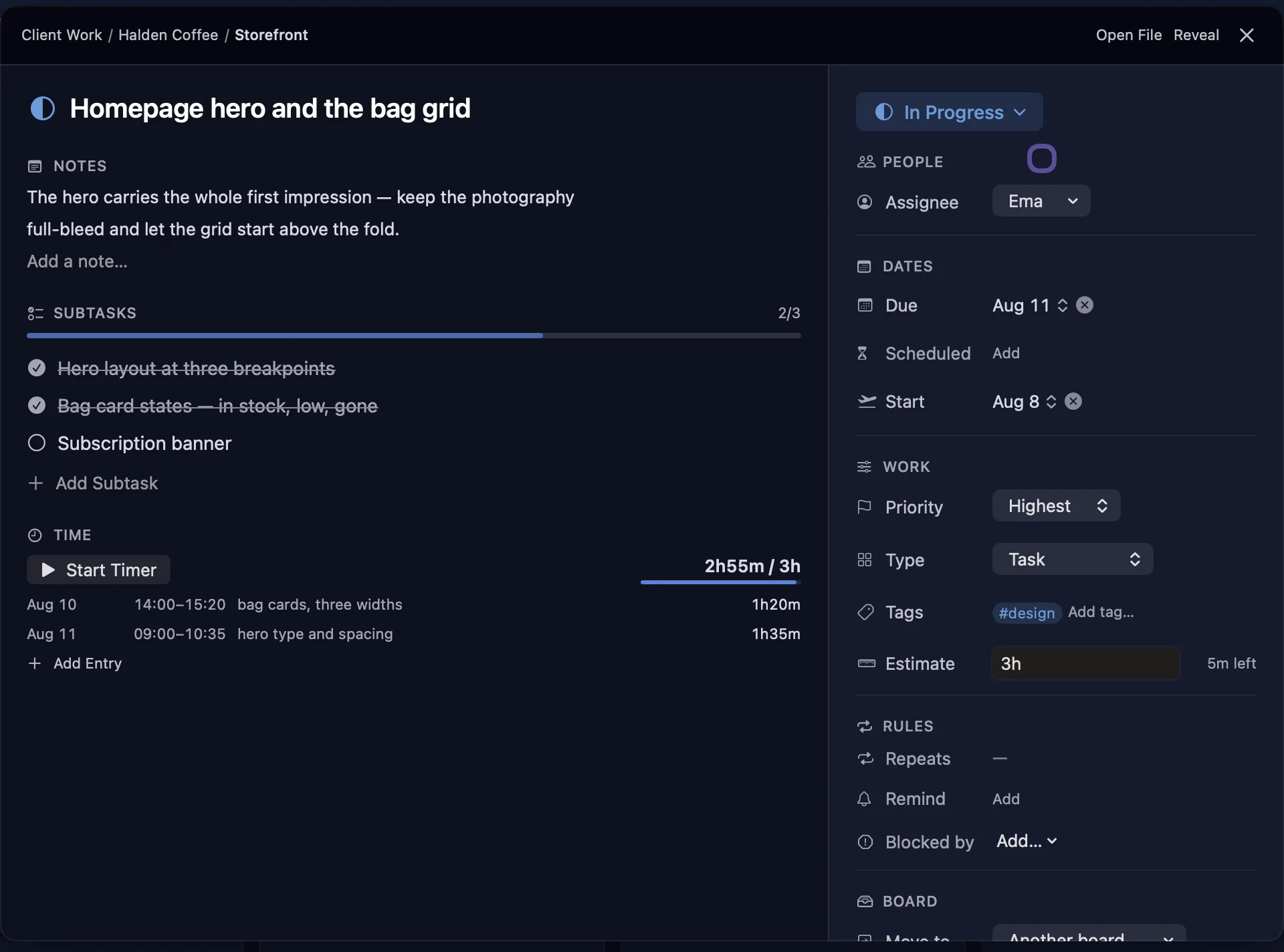
Eleven surfaces, one folder
Eleven views. The same files underneath.
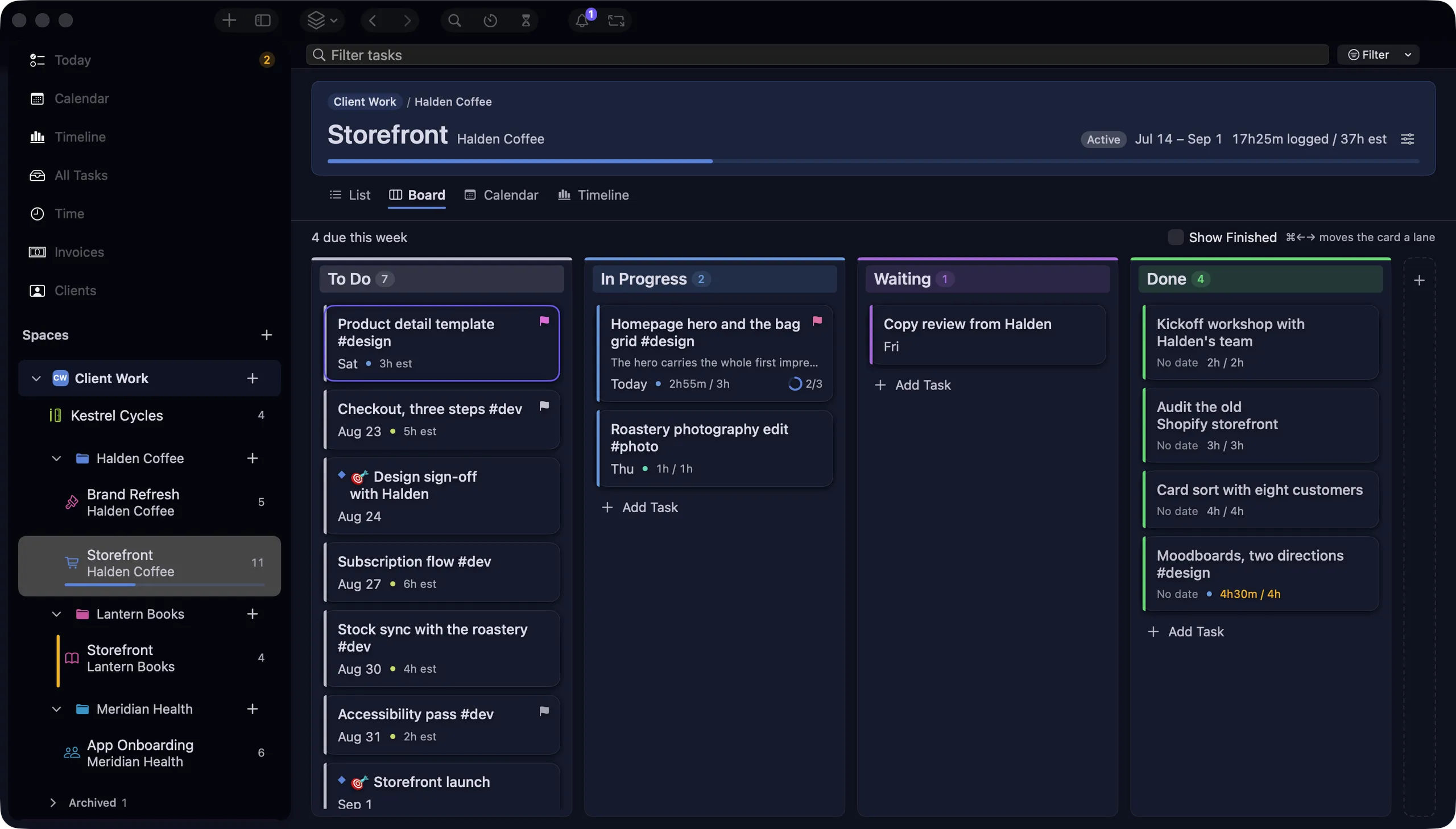
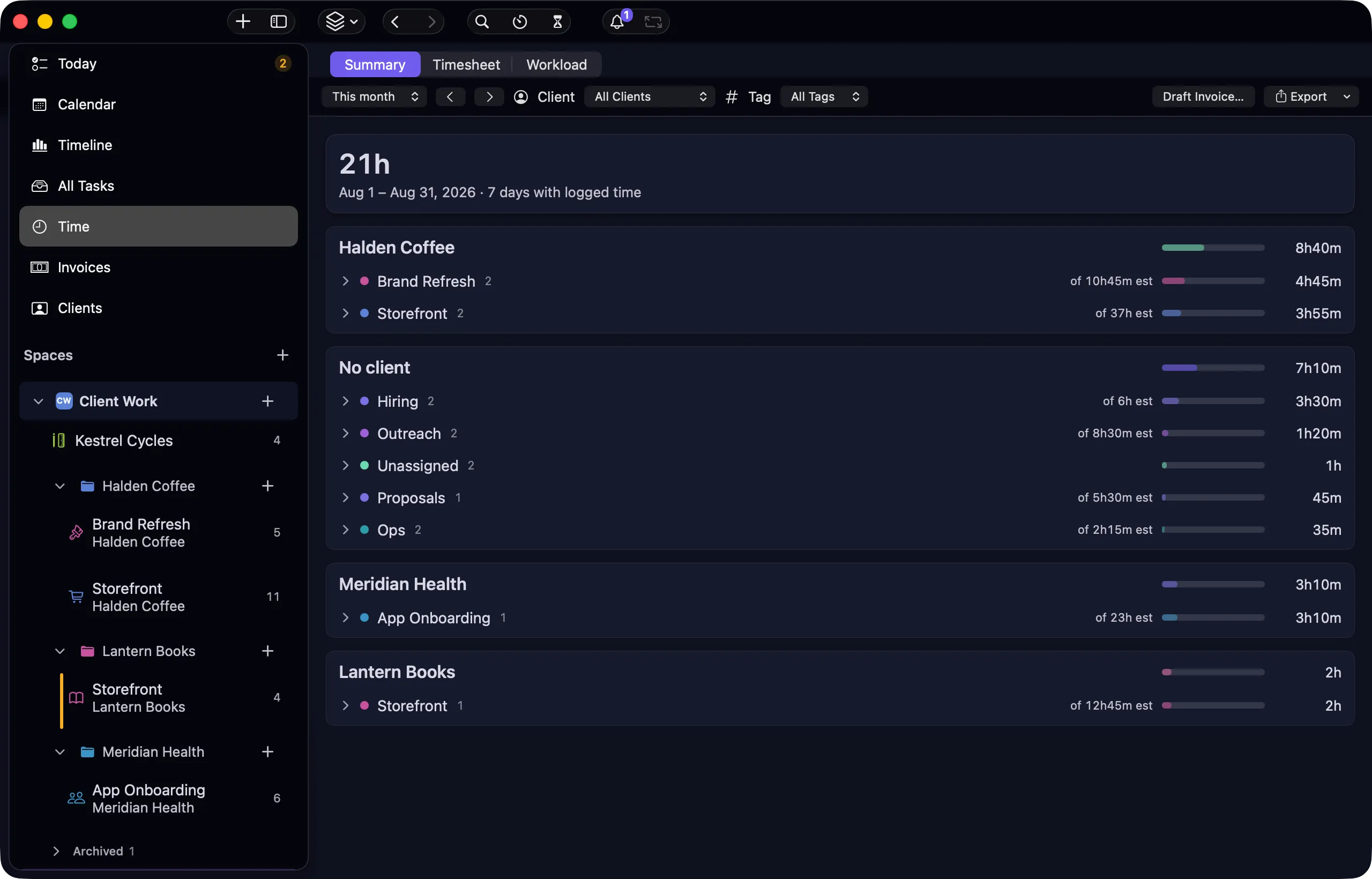
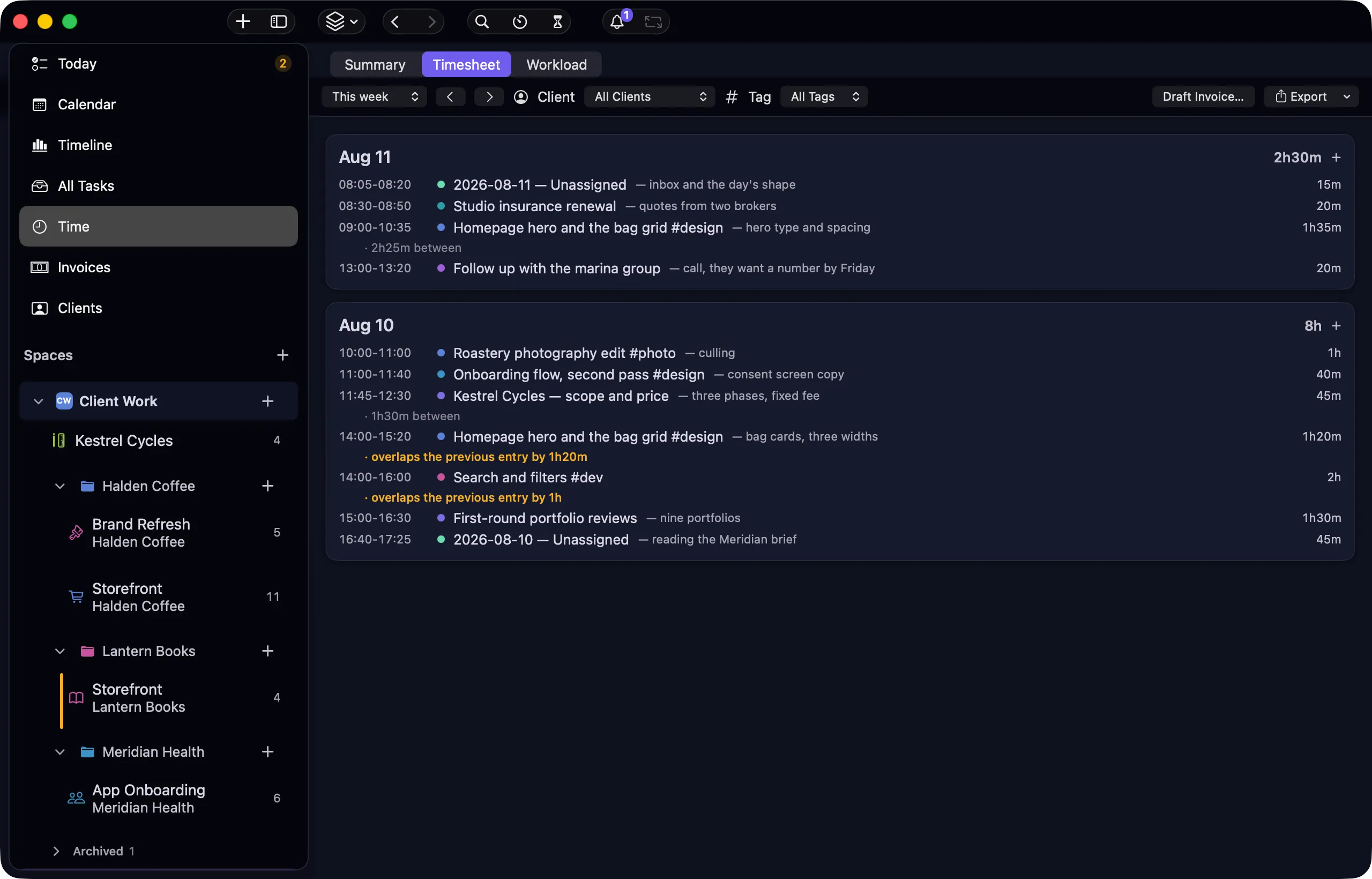
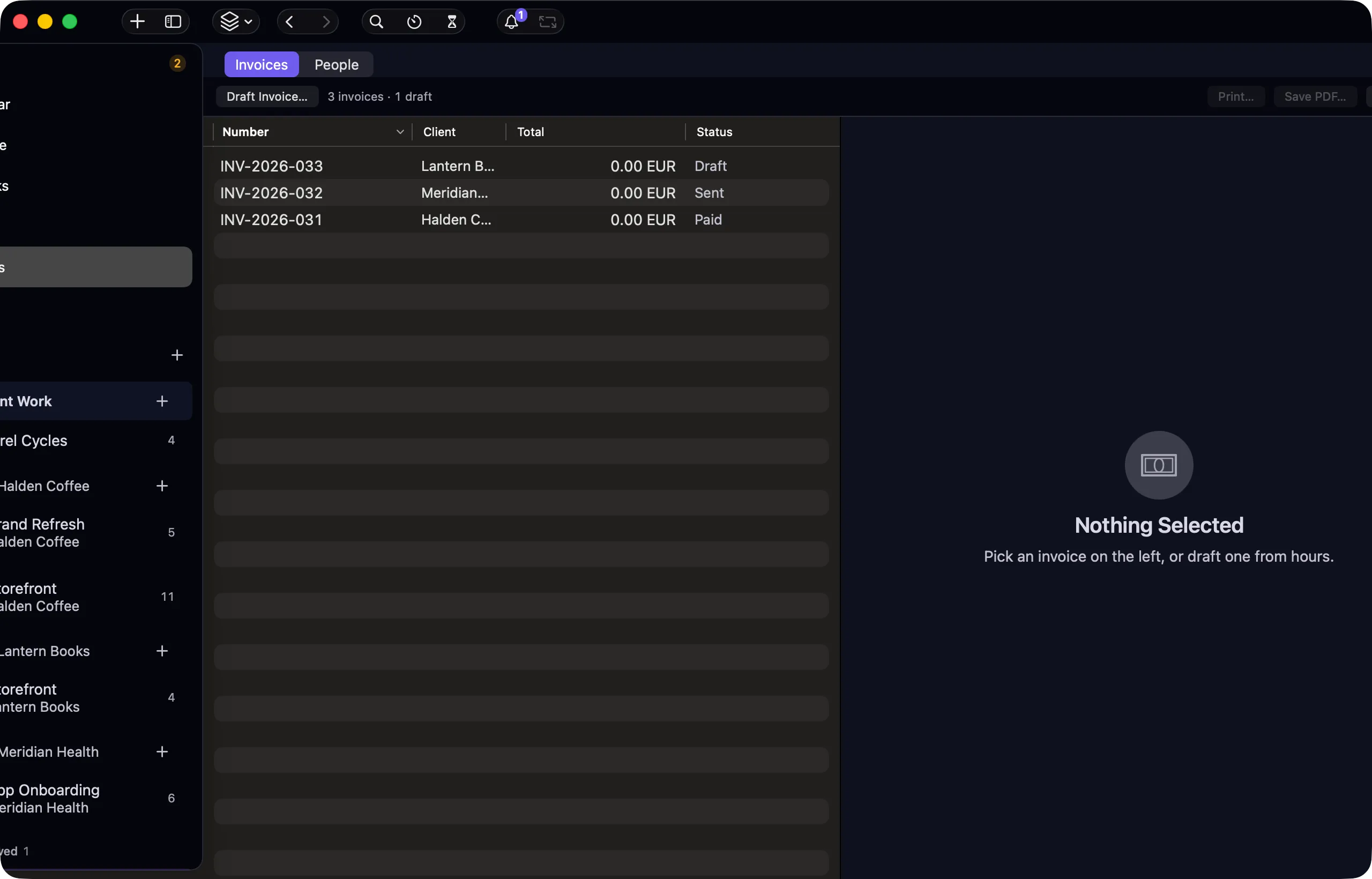
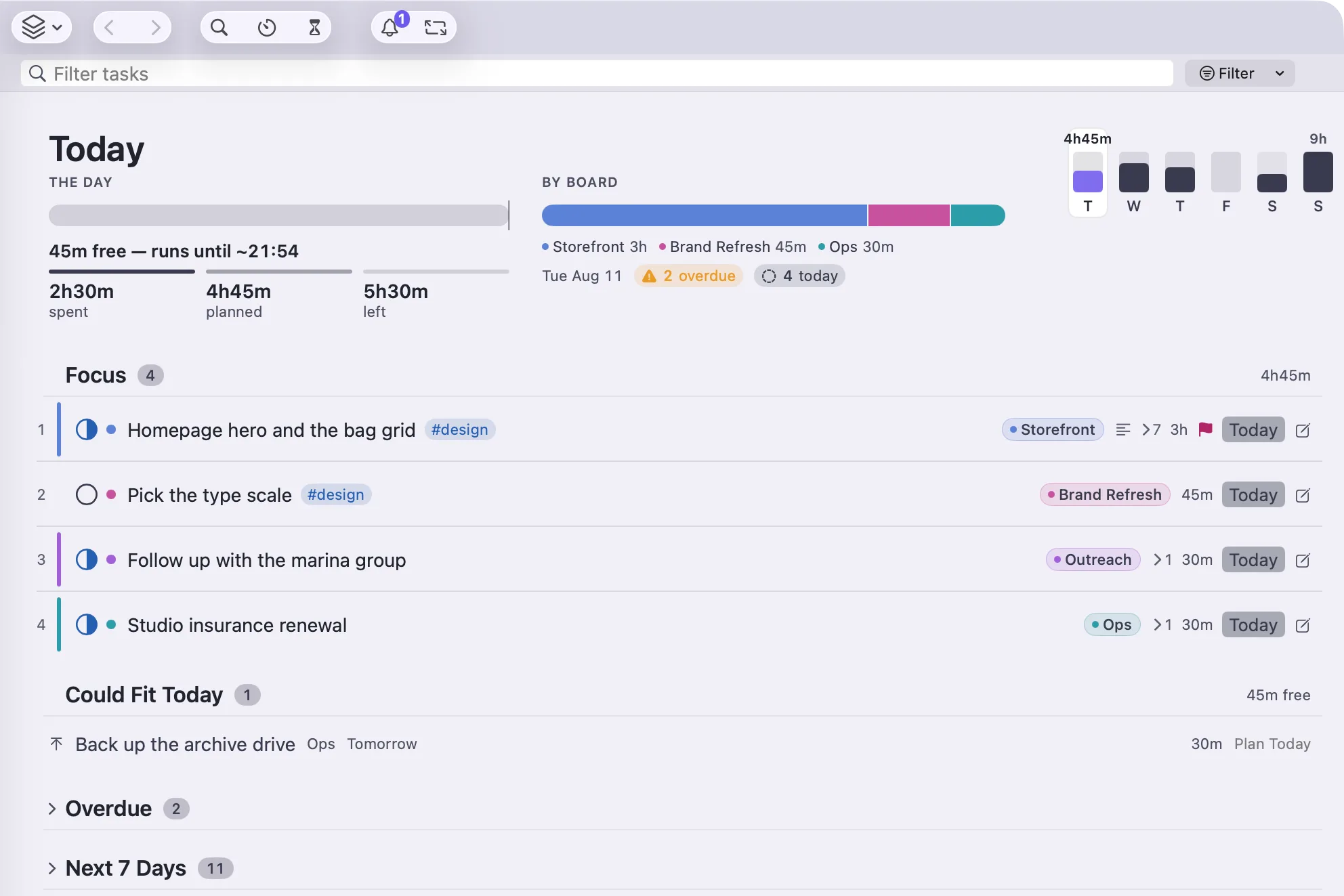
Drag a card on the board and the file changes. Move a bar on the timeline and the date in the file changes. Nothing is a separate copy of anything — and every screen below is a capture of the shipped app, not a mockup.
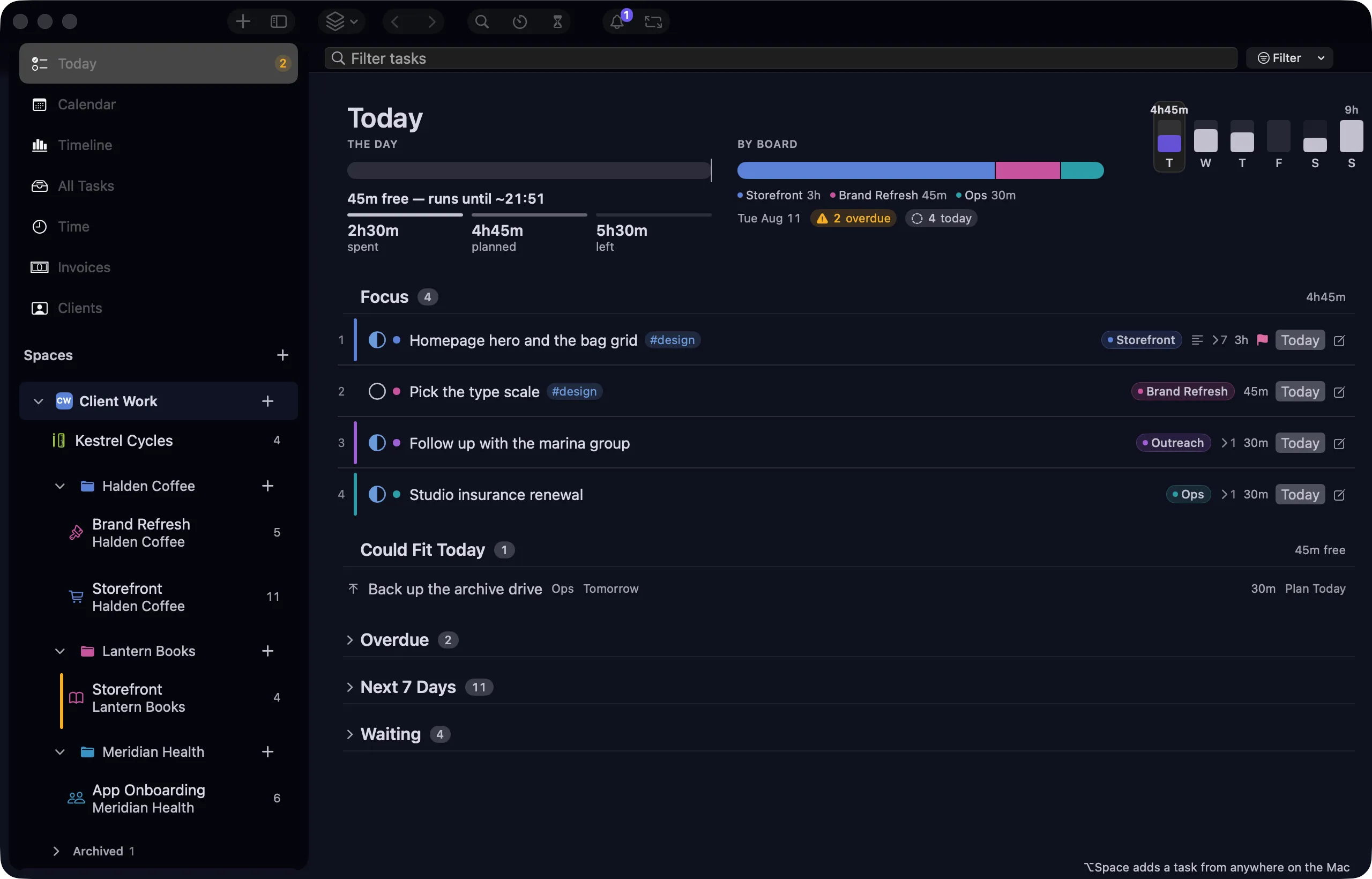
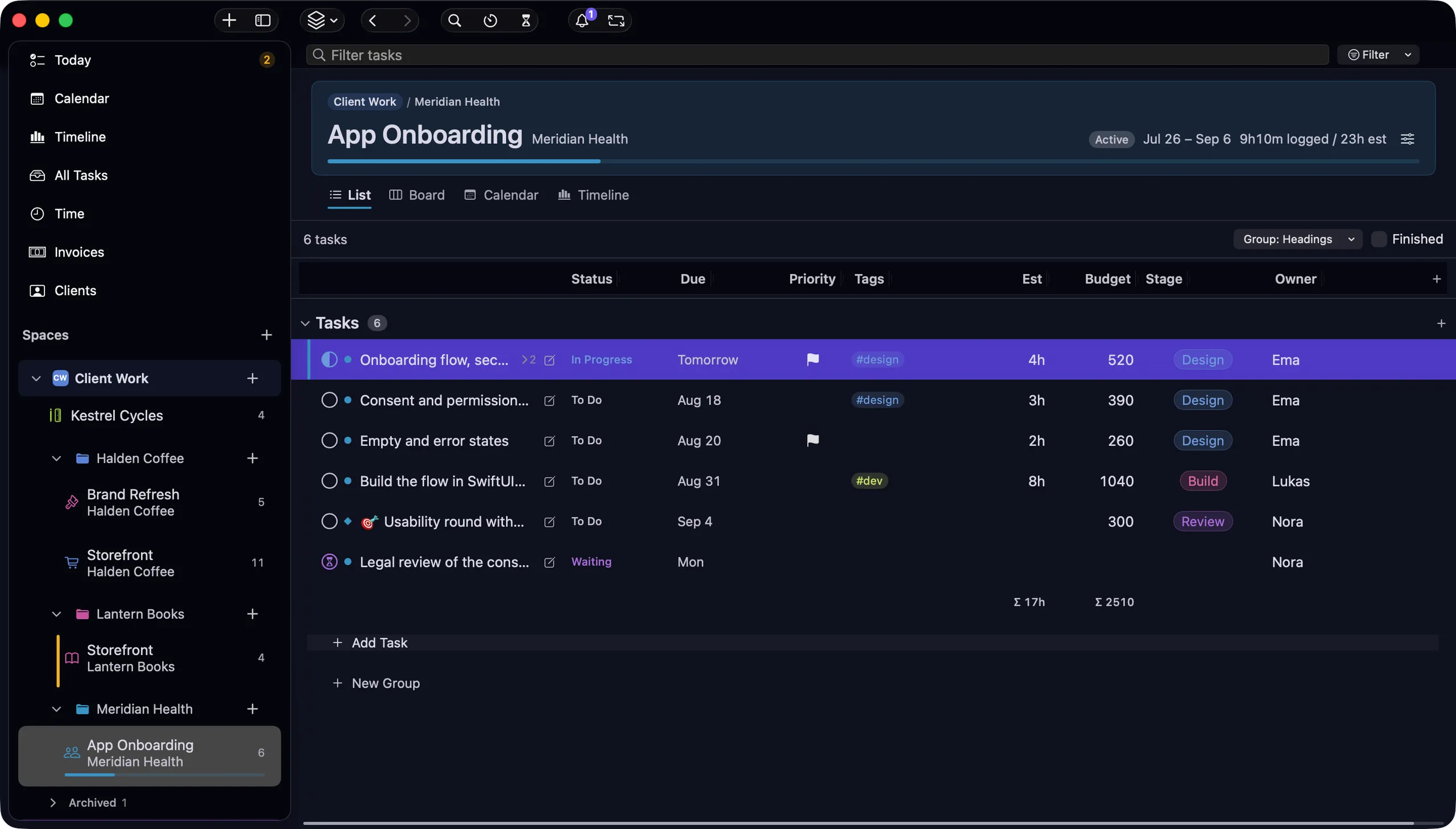
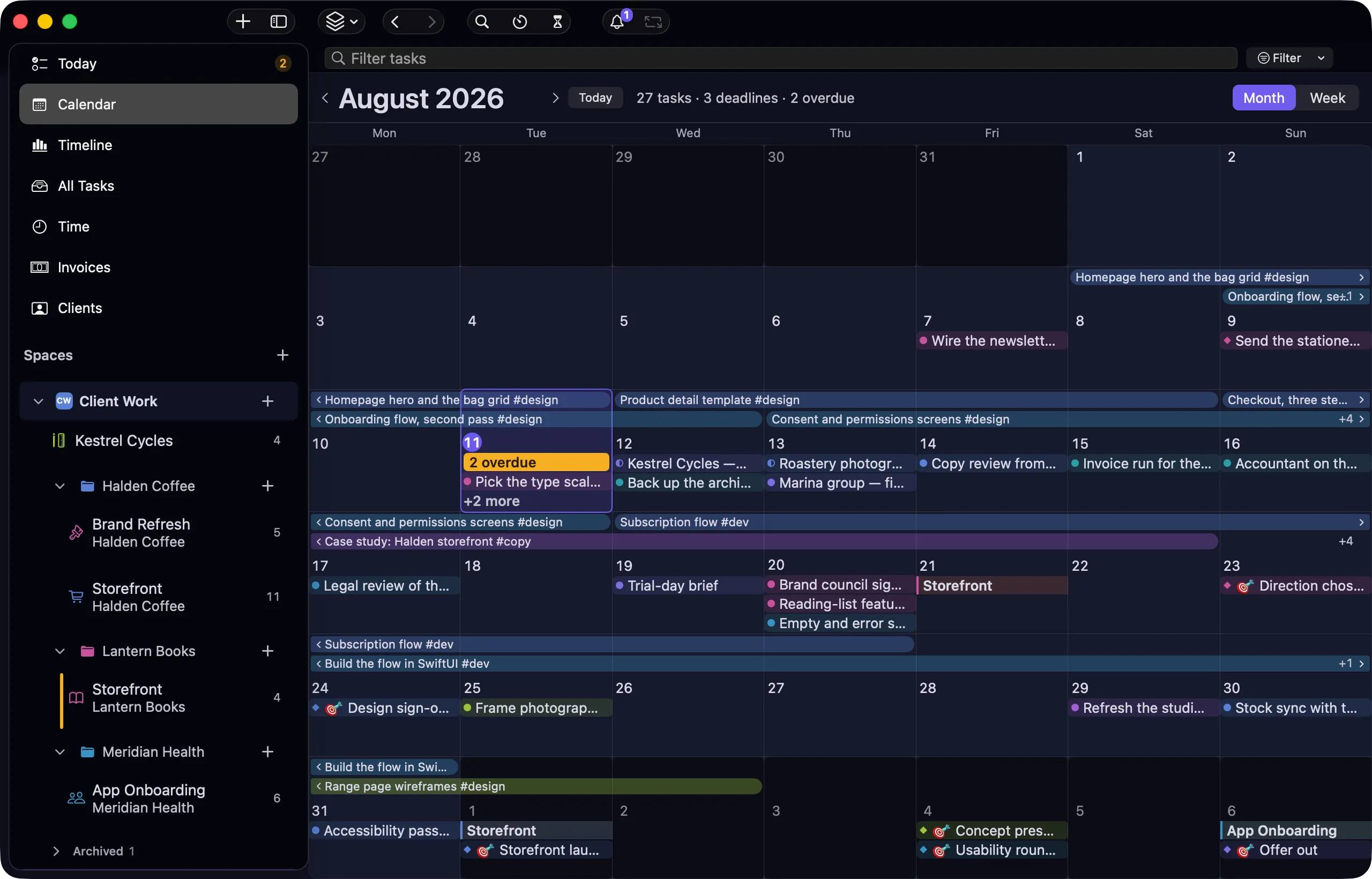
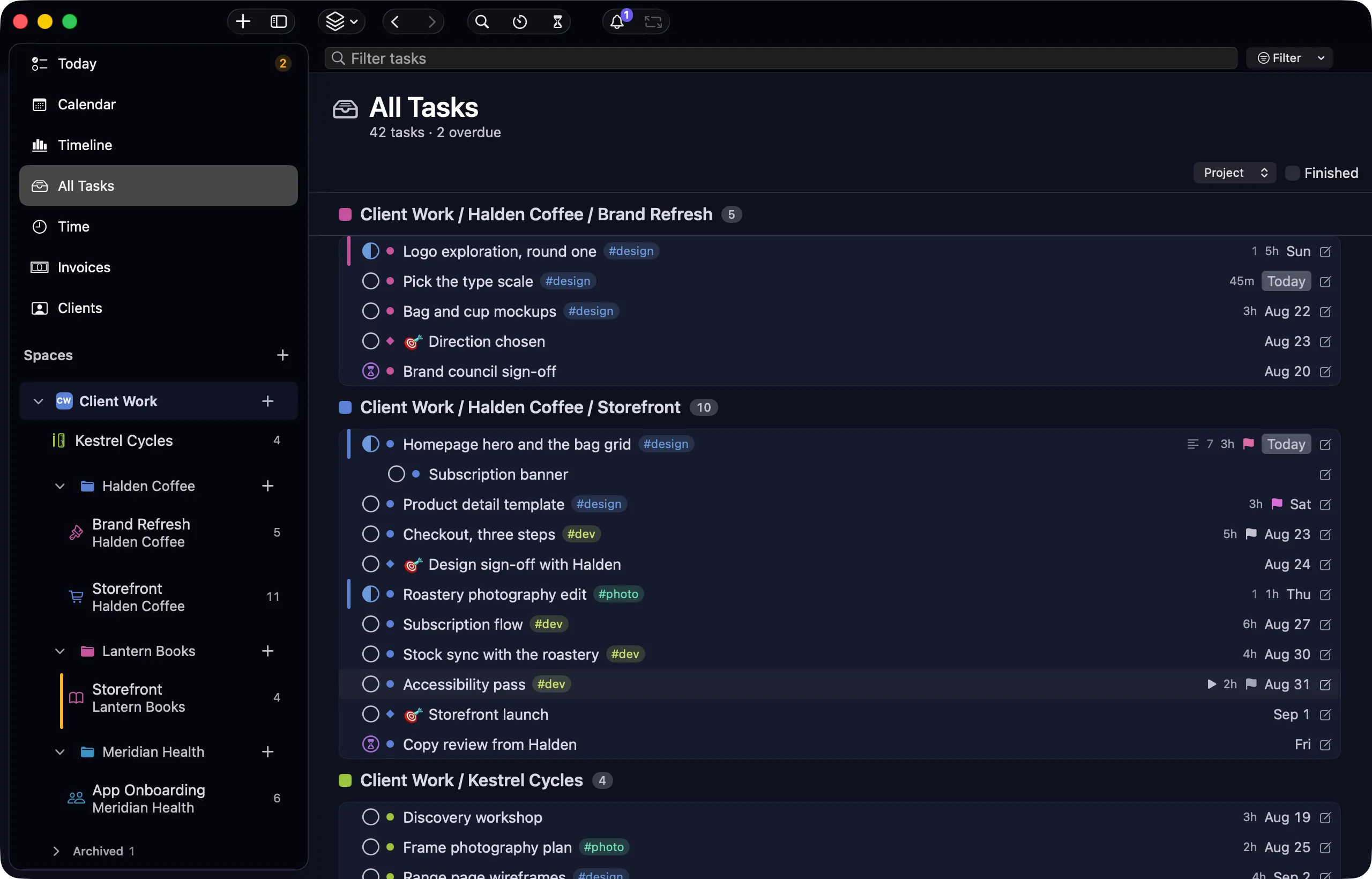
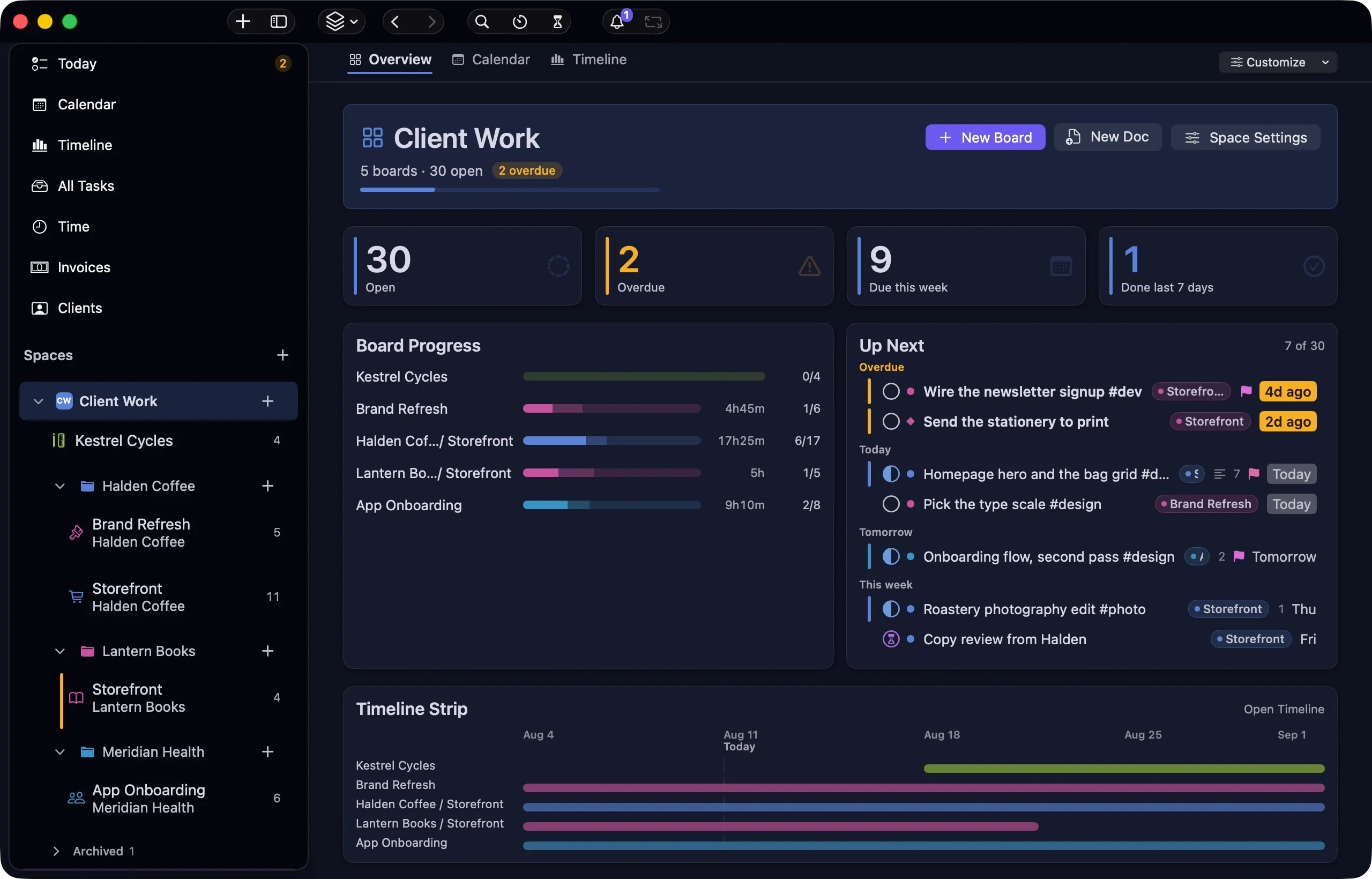
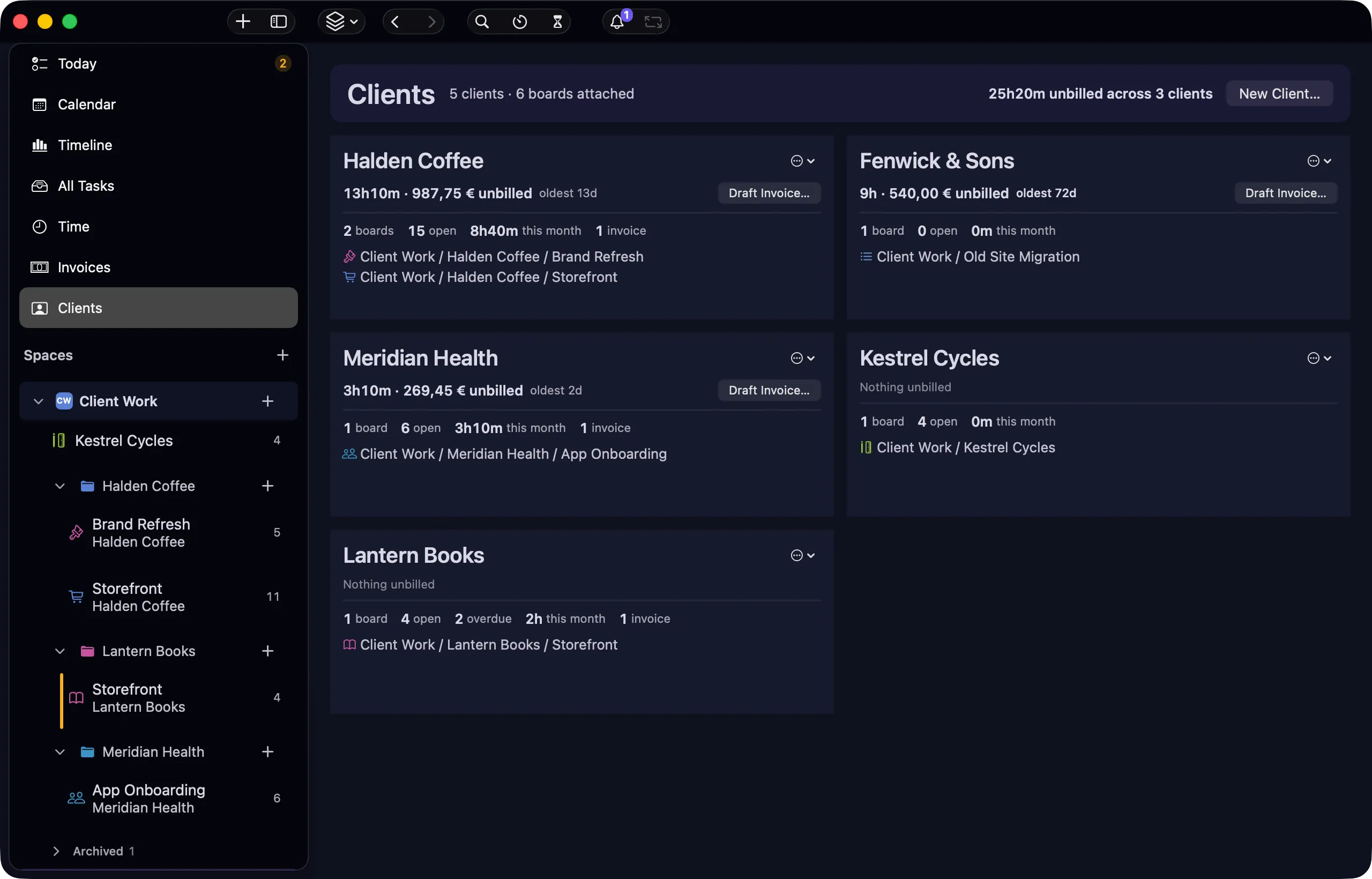
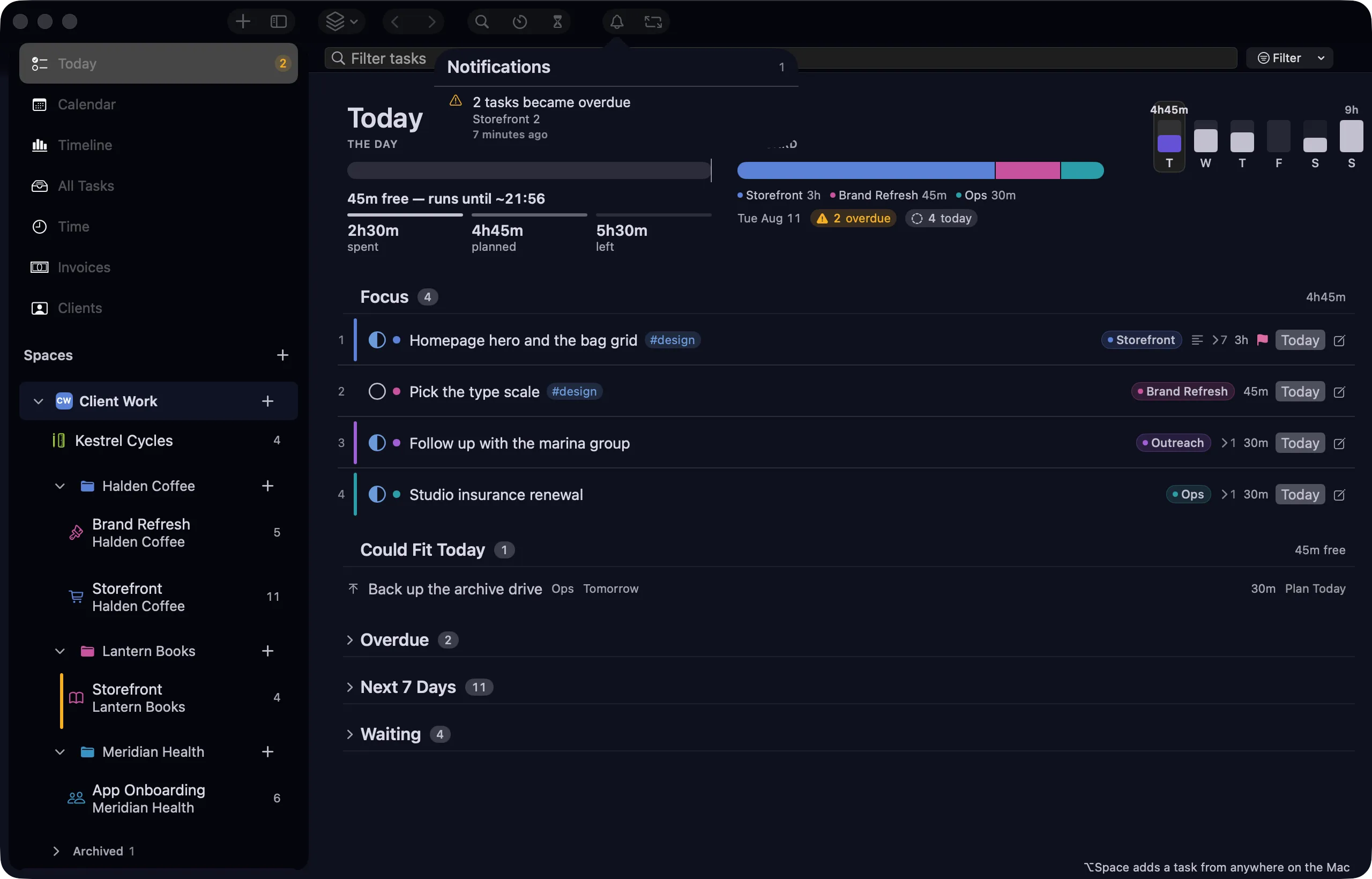
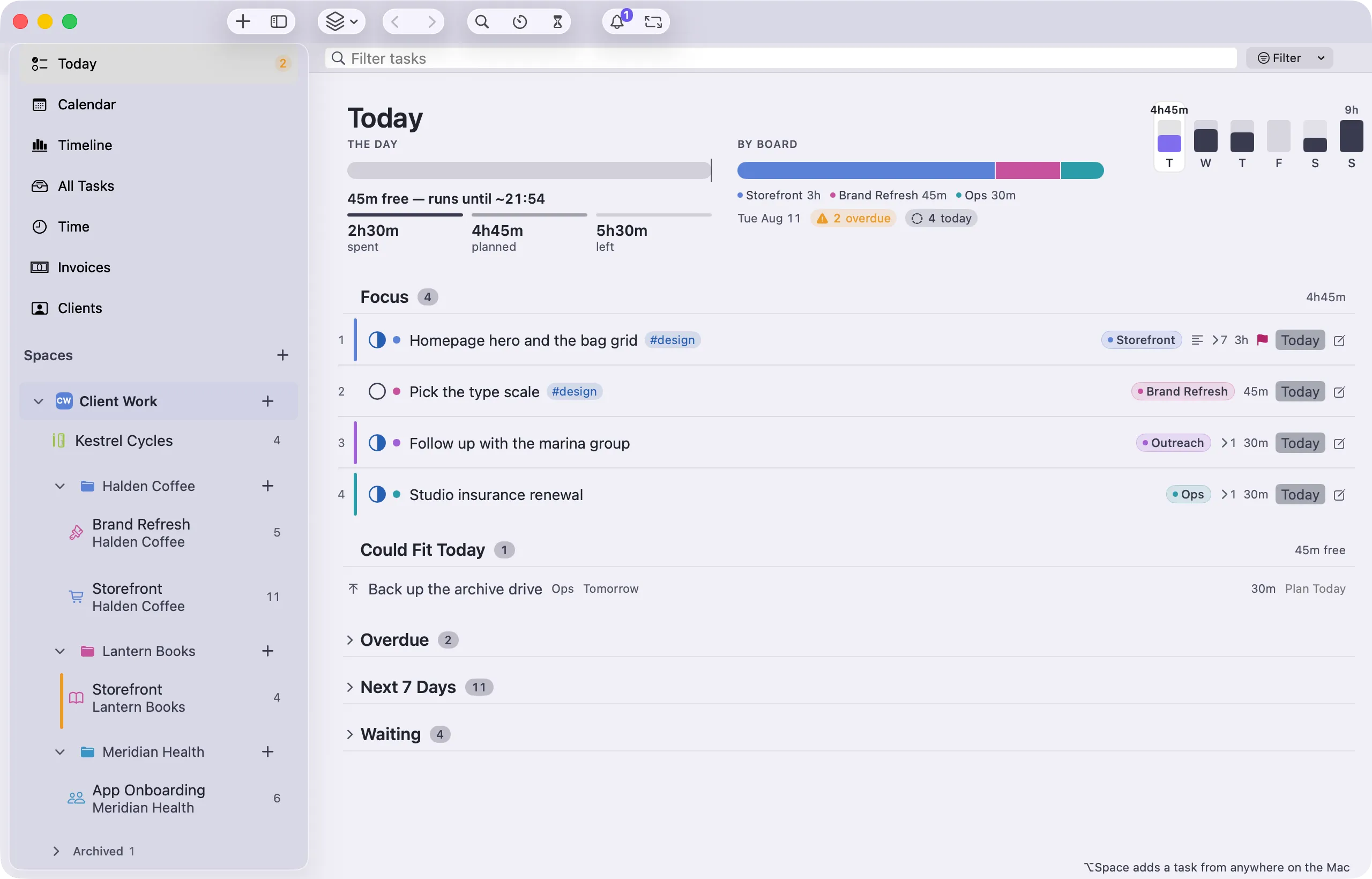
- Today The morning screen — overdue first, then what's due.
- Calendar Tasks on a month grid by date.
- Timeline Every project as a bar, milestones marked.
- All Tasks Everything, filterable across projects.
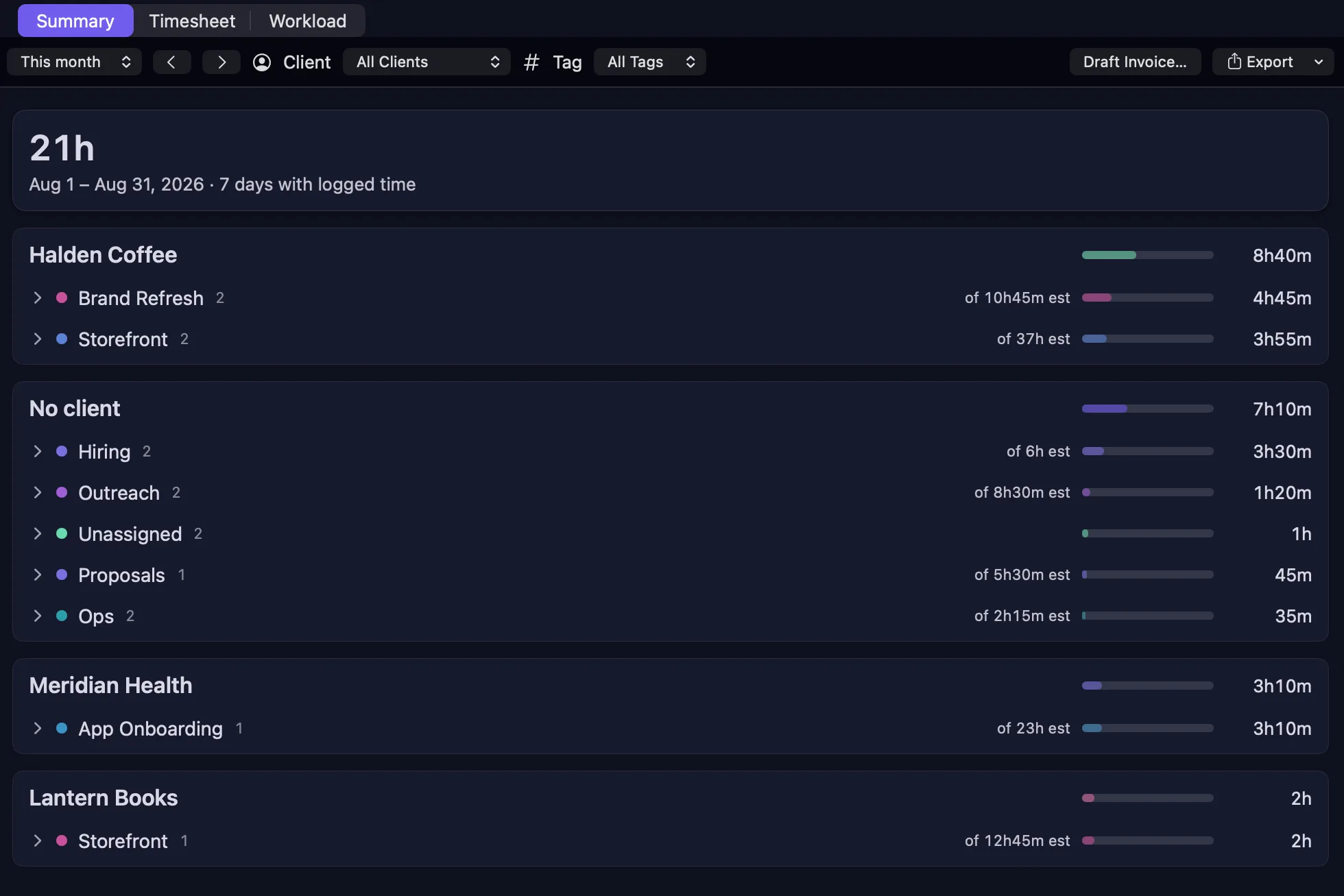
- Time Hours by client, project and day.
- Invoices Drafts, sent, paid — built from logged hours.
- Clients Rates, contacts and the work attached to each.
- Board A project's tasks as cards you can drag.
- List A project as a table, with your own columns.
- Overview A space dashboard across its projects.
- Completed What's finished, when, and by whom.
Hours become invoices
Track the hours. Draft the invoice from them.
The hours are already attached to the tasks that earned them, so billing is a review rather than an archaeology project.
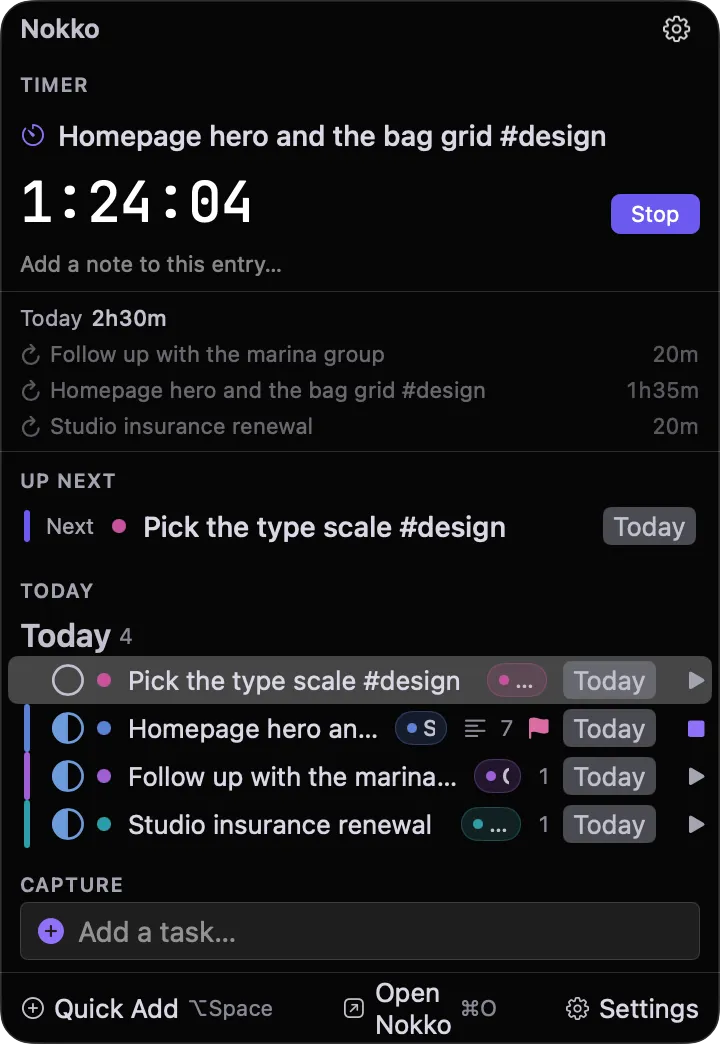
- Start a timer on any task from the window, the menu bar, or a global hotkey.
- Sessions are written into the task as ⏱ lines — readable, editable, yours.
- Draft an invoice from the hours already logged, with VAT and per-client rates.
- Totals are recomputed on read, and a minute claimed twice gets flagged.
Your infrastructure, not ours
Work with someone else. Without our server in the middle.
There is no nokko account and no nokko cloud. Sharing runs through infrastructure you already control, and stays optional — on your own Mac the app never needs it.
- Share through a private GitHub repository or your own SFTP server — a VPS, a NAS, shared hosting.
- No git on your Mac. Sign in with a code, not a password.
- Changes are recorded in each person's name, and the history is readable from the sidebar.
- If two people edit the same thing offline, both versions survive on every machine as a marked pair — nothing is merged behind your back.
SwiftUI, Apple silicon
A Mac app, not a web page in a window.
It opens instantly, it behaves like the rest of your Mac, and it is there in the menu bar when the main window is not.
- SwiftUI, built for Apple silicon — not a web app in a window.
- Menu bar popover, desktop widgets, and ⌥Space to capture a task from anywhere.
- Full keyboard control: ⌘1–7 for views, J/K to move, S to start the timer.
- Light, dark, or whatever the Mac is doing.
A native Windows build is in development, reading and writing the same files.
Small teams, real client work
Built for the people doing the work.
- Freelancers who bill by the hour and would rather not stitch three tools together to do it.
- Small studios where the same people do the work, track the time, and send the invoice.
- Anyone who wants their project history to still open in ten years, in any text editor.
It is not built for large organisations. There are no permission tiers, no approval chains, no roles to administer — those are the things that make a tool heavy, and leaving them out is the point.
Why we built it
We needed it, so we built it.
Anemo is two founders running client projects end to end. We were paying for three tools that each held a third of the picture, and none of them let us keep our own data in a format we could read. So we wrote the app we wanted, used it on live client work for months, and shipped it once it held up.
It is also the clearest answer to what we can build: a look at our development work or the client projects behind it.
Questions
nokko questions, answered
What people ask before they try it — where the files live, working offline, sharing with a teammate, and who it is built for.
A native Mac app for running small client work: projects, tasks, time tracking and invoices in one place. Every project is a plain Markdown file on your own disk, so the app is a view over your files rather than a database you can't read. We built it to run Anemo, then shipped it.
In a folder you choose on your Mac, as Markdown files. There is no account to create and no server holding your projects. Kept local, nokko opens no network sockets, and it sends no telemetry.
Fully. There is no login step and nothing to sync before you can start. Sharing with a teammate is optional and added on top — the app works the same without it.
No. nokko is a complete app on its own. It happens to write the task format Obsidian users know, so if you already keep a vault you can point nokko at the same folder and both apps read the same files.
nokko is in the last stretch before launch. Join the waitlist on nokko.dev and you'll hear on the day it opens, along with everything about availability.
Yes — through a private GitHub repository or your own SFTP server. Changes are recorded in each person's name. If two people edit the same task offline, both versions survive on every machine as a marked pair rather than one silently overwriting the other.
No, and deliberately so. There are no roles, permission tiers or approval chains. It is built for freelancers and small studios where the people doing the work are the people tracking it.
A native Windows build is in development — a real app, not a port in a browser shell. It reads and writes the same Markdown files, so a mixed team shares one folder.
Try nokko.
Join the waitlist on nokko.dev and we’ll tell you the day it opens.